How to Create a Terminology and Glossary Lists

Creating a terminology and glossary list is an investment in time that will pay off quickly. If you plan ahead and create a process for keeping the list active, you can enable high quality transaltions and ensure all of your communication from your organization is consistent and clear for your end-users.

The following are some of the steps we recommend for creating and maintaining your terminology and glossary lists:

Gather Terms

This can be a tricky step. We sometimes are so accustomed to the terminology in our industry, we don’t even think about it. But when communicating with our communities, we have to get into their heads to make sure they will understand our message. Not only do we need to think about the end users, we have to make sure the people doing the translations completely understand the context of a phrase. Using some guidelines to create a term list can help. For example, you can include commonly used terms, particularly complicated ideas, and industry-specific acronymns. The list may include single words, acronymns, or short phrases.

You can also ask your translation provider to perform a “terminology extraction” from previous translations. (Yes! Mindlink can do this for you).

Terminology List Template

Need a format for your list. Download it here to get started.

Translate the Terms

Once you have the list, you can send it to professional translators. We recommend parallel translations where two translators work on the same text at the same time. Where there are discrepencies, the translators can discuss the best way to convey the idea.

Back Translation

After the translation has been completed, you can have “back translation” performed. “Back translation ” is a quality step where the target language is translated BACK into English. Then you can compare the back translation against the English source term. You might catch some differences (for example, a word like “plant” could be a verb or a noun. Back translation would catch if the translator picked the wrong version).

Community Input

Another helpful step is to ask members who are part of the community you are trying to reach to review the terms and highlight any confusing or unclear terms. The community might bring perspectives on how the language is used in your area and provide valuable feedback.

Publish the List

Once you are satisfied with the quality of the terms, you should publish the list somewhere that can be accessed by content creators and the translation team.

Repeat

The last step “repeat” is a very important one! At some interval (maybe every year) do a “term inventory”. Are there terms that should be added or updated? Maybe some terms should no longer be used because it is found that they are not using inclusive language (i.e. “whitelisting“).

Did you know Mindlink has a Terms Database “TermsBase” that is available to help with this process? It’s still in beta version (and we’re not set on the name — any suggestions??). Check it out!

Yamhill Community Care Opens Doors to Spanish Speakers

Evolving language access beyond patient care

Yamhill, Oregon – Yamhill Community Care has a mission: “Working together to improve the quality of life and health of Yamhill Community Care members by coordinating effective care.” YCCO goes beyond providing services, but focuses on preventative care and is shifting the culture to “well-care”, which catches risks before they become illness. They do this through community programs, education, and more.

Given that 15 % of the community are Spanish speakers, in order to achieve this, they found the need to provide information, presentations, meeting agendas, letters, and more in both English and Spanish. Approach every program with a eye on equity and inclusiveness, they turned to Mindlink for help in supporting this effort.


A holistic solution with LinguistLink Tools

LinguistLink

Using our unique project portal, “LinguistLink” has enabled meaningful communication between the YCCO Community Liaisons and the linguists who are translating and interpreting. Tracking every project and building efficient workflows makes requesting services simple..

Linguist Hotline

Access to our 24/7 linguist hotline has been valuable to the partners from YCCO as they support members of the community who speak a language other than English.

Translation Memory

Every word for every translation performed by Mindlink is saved in a database called a “translation memory“. We apply this memory for each file and when there are matches, we can provide discounts. We only charge for updates on documents that we translated.

Translation Quality – Back Translation

For content that is critical to the health of the community, we provide the translation and extra quality steps including “Back Translation“. This includes re-translating the target text back into English. Then the re-translation and original source are compared to ensure the translator captured the proper meaning and context.

Interpreters have been timely, cooperative, and invested in the experience of their clients. Interpreters consistently deliver high quality interpretation, especially considering most of YCCO’s requests are for simultaneous services, which demand a high level of skill. Mindlink has been a flexible partner in YCCO’s often unusual language requests, willing to work creatively through remote, in person, and hybrid models. The LinguistLink platform helps to create and track requests, and offers a streamlined way for us to create both translation and interpretation requests.

E. Johnson

Community Health Specialist, Yamhill Community Care

Community care through Inclusion

We are able to provide valuable data to help ensure that the language access efforts align with the mission of the organization.

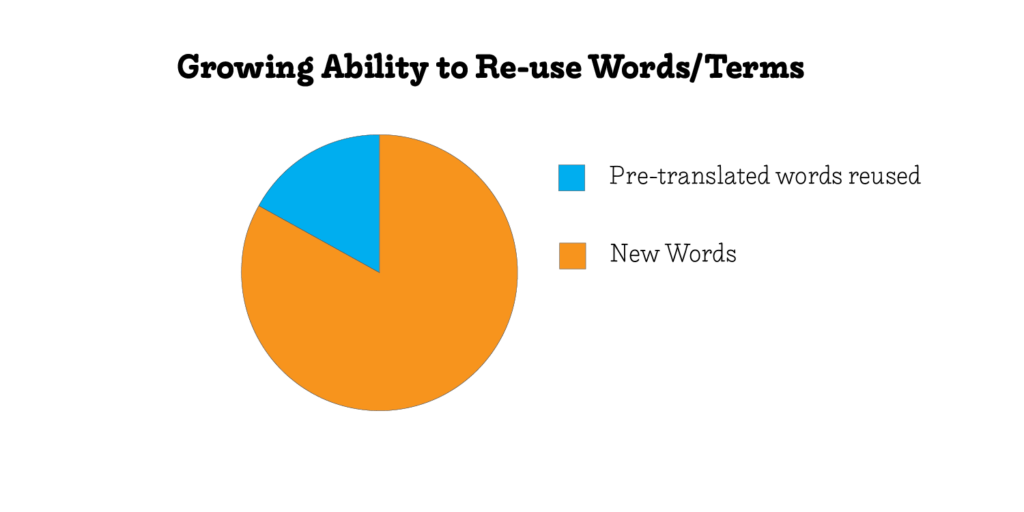
For example, we recycle words to save budget on updates and other translations.

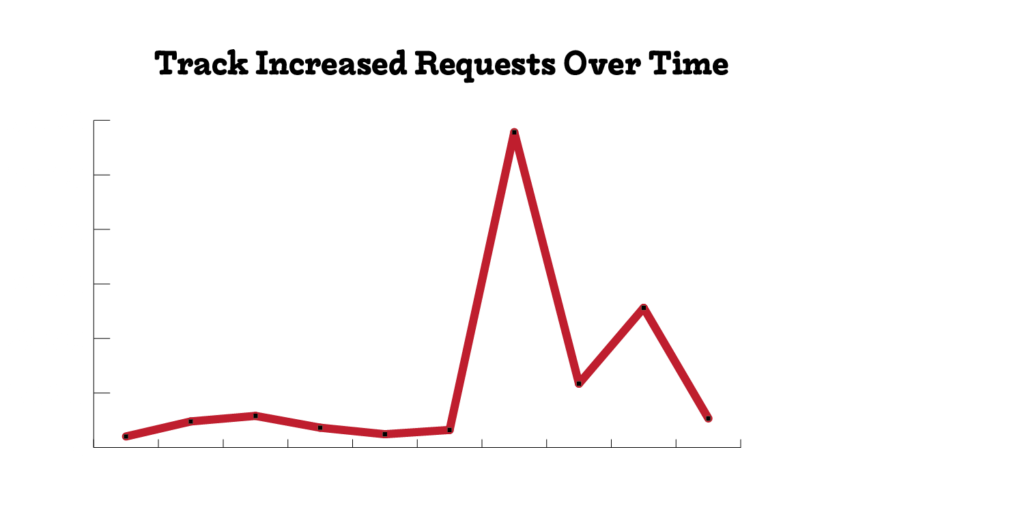
We also can track trends to synch up when more requests come in and to ensure needs are being met.

Is Your Language Access Workflow Ready for Parent-Teacher Conferences?

Parent-Teacher Conferences. If you work in a school with students who are from families with limited English abilities, this can be a stressful event even in a normal year.

However, we’re not in a normal year. We’re in the middle of a pandemic which has impacted our schools in so many ways. So, we’ve been finding new solutions to stay connected as a school community.

That leaves us thinking about how we’re going to support translation and interpretation, especially for Parent-Teacher Conferences.

Here are a few tips we thought of that might help:

1. Use Local Interpreters for Parent-Teacher Conferences

Work with a local vendor to connect with interpreters in your community (if possible). Finding local interpreters has the same effect as “shopping local“. You help local businesses and you get the benefit of working with people who live in the same communities as the families you serve.

2. Use a Scheduling Tool

Use a scheduling tool to make sure everyone is on the same page. If you try to coordinate and schedule with email, phone, or text messaging, it’s a quick way to go crazy. A simple google form helps. Although, did you know our system “LinguistLink” is especially designed for Language Access in schools?

Scheduling with LinguistLink.net for Free!

LinguistLink.net gives you a central place for all your language access needs.

Use LinguistLink.net for the first THREE months with no RISK.

Sign up here and we’ll get you started.

3. Confirm the Appointment

Once you schedule the interpreter, provide them with the parent’s phone number and ask them to confirm the appointment the day before with the family.

4. Use the Right Platform

If you have a choice, choose a simple video platform for the meeting. Many families do not have access to a computer or internet and will probably connect via their mobile phone, so don’t be afraid to schedule a three-way phone call.

5. Use Best Practices for Interpretation

Make sure you follow best practices for interpretation. For example, during the meeting — address the parent directly, but allow time for the interpreter to relay the message.

Applying these ideas will help you communicate information for Parent Teacher Conferences effectively with families regardless of their English abilities.

If you would like to discuss or learn more about any of these tips, I would love to hear from you! Shoot me an email directly: stacey@mindlinkresources.com or Contact Us.

Learn more about Language Access

How to Set a Budget for Language Access

Time needed: 2 minutes.

It’s sometimes challenging to know where to start when you need to set a budget for language access. Usually language access is provided with translation and/or interpretation. This post will walk you through what you should consider in setting up a budget specifically for translation projects.

  • Know the word count of your documents

    Most translators charge by the word for translating documents. If you need translation, but have a tight budget, reduce the words! If you can get the message across with culturally appropriate images or reduce the word count in other ways, you can still provide quality translations on a budget.

  • Ask about minimums up front

    Many linguists require minimums to help them manage their time. If you batch jobs, you may be able to save a lot of budget by avoiding minimum fees per documents.

  • Ask for discounts

    It is not uncommon to ask for discounts on phrases that might repeat throughout a document. You can also provide glossaries and terminology list for linguists to re-use phrases. You can learn more about translation memory and how it can help you with providing quality translation on a budget.

  • Select languages

    Pick the languages that will have the most impact for the most people. You may not be able to afford to translate everything in every language, but you can do something.


On a budget? You can prepay for translation services and save! Click to learn more.


These are a few of the many things you can do to create quality human-sounding communication for your clients who may not speak English fluently. There are online tools that may be free, but if your clients can’t understand your meaning, they may not be an effective way to communicate. Not sure why quality is important? Check out this article.

Whether its a flyer or a website, you can show your clients that you care by providing quality translation.

Learn more about Language Access!

Tips for Remote Working with Limited English Proficient Clients

Time needed: 2 minutes.

Remote Working with Limited English Proficient Clients can be frustrating if you aren’t used to it. During the COVID-19 quarantine, a lot of us are learning new ways to do things. We want to help as much as possible. So we’re creating some informational posts to share resources that are available.

You may find yourself working with clients remotely who may not speak English fluently. Doing this remotely might be tricky, but if done well, you can provide equitable access regardless of where you are.

Here are five important things to keep in mind for remote working with limited English proficient clients.

  • Rely on written communication when possible.

    If you have ever spoken another language, the phone is one of the most challenging in ensuring understanding. A simple email or text might be a better way to get a message across.

    Have a longer message? You can get it translated easily by our team of professional translators. Make sure your communication is equitable ensuring everyone has the opportunity to understand.

  • Use already translated resources

    There are many resources available already that have been translated. Please make these available to your clients.

  • Beware of mistranslations and google translate.

    Inclusive and meaningful access requires quality translation. Many times using google translation is worse than not doing any translation at all.

  • Use telephonic interpreters.

    You could struggle to communicate with a mix of broken languages. OR, you could conference in an interpreter to help you. Use zoom meetings or three-way calling to patch someone in.

    If you need an interpreter, we support most languages. Sign up for “LinguistLink” and get immediate access.

  • Practice Patience.

    We’re all learning this right now. Here’s one of my favorite quotes:

    “So do all who live to see such times. But that is not for them to decide. All we have to decide is what to do with the time that is given us.”
    ― J.R.R Tolkien, The Fellowship of the Ring